Ethernet-to-WiFi bridge
A pocket ESP32 box that puts ethernet-only devices on WiFi. Cameras, PLCs, printers or lab instruments join the network in a minute and stay under control.
- Client
- Personal network hardware
- Year
- 2026
- Status
- In development
- My role
- Firmware, Web interface, Security
- Technology
- ESP32, C, ESP-IDF, lwIP
About the project
Plenty of devices only have an ethernet port: cameras, recorders, mixing desks, PLCs or lab instruments. This box connects to them with a cable and joins WiFi on its own. The device can then be controlled from a phone or laptop as if it were on the network. It started with a Blackmagic camera and has grown into a general field service tool.
How it works
- A router with NAT and port forwarding. A WiFi station may only transmit under its own MAC address, so a classic network bridge is impossible. The box gives the device an address, translates its traffic and exposes only the ports you allow. Ready-made profiles cover common devices, such as Blackmagic cameras.
- Three ethernet modes and two WiFi modes: a router, a client on someone else’s network, or a standalone access point with no WiFi around at all.
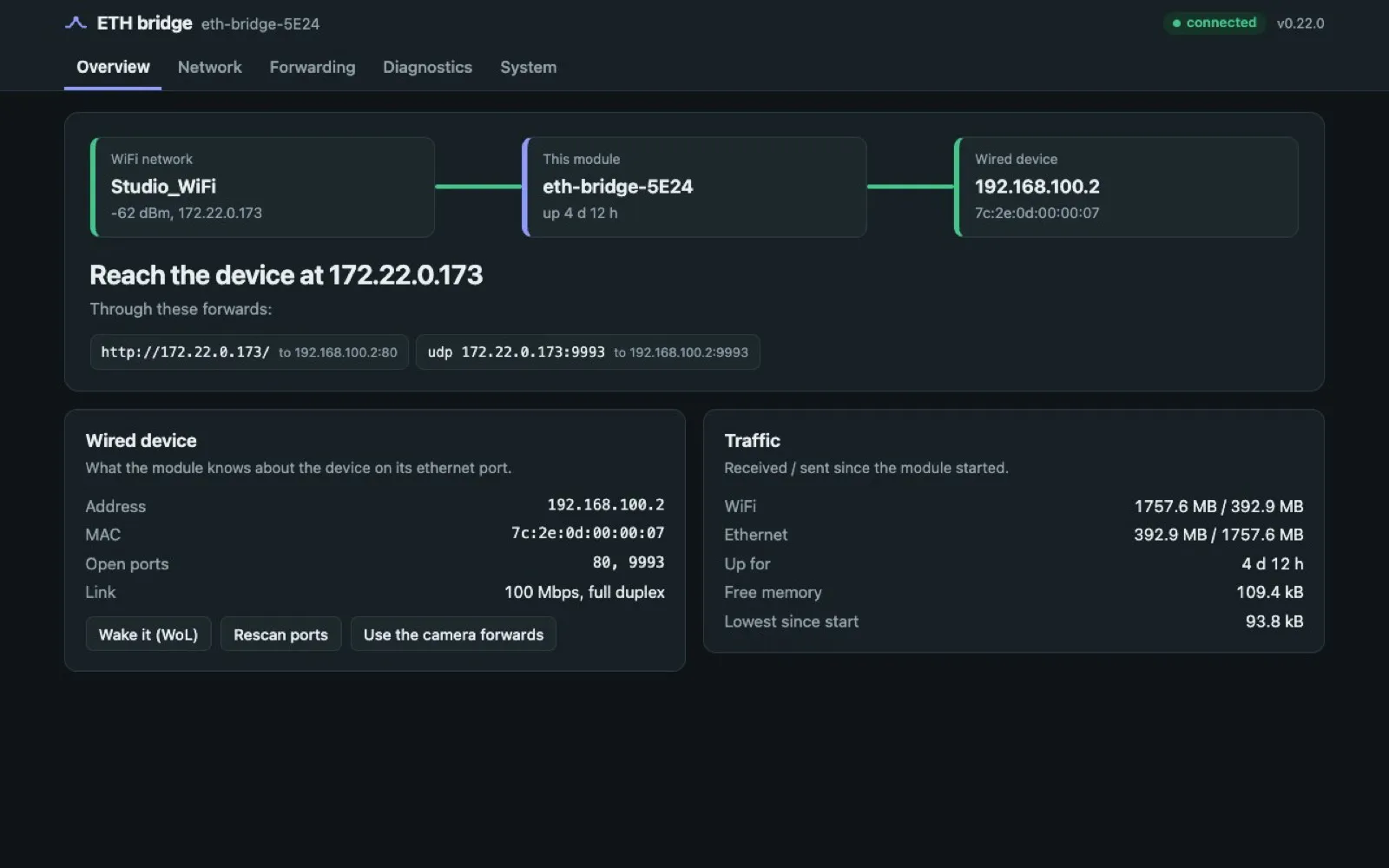
- A web interface with a WiFi → module → device diagram, a list of nearby networks with signal strength, link diagnostics and an event log. Setup is easy through a portal that opens by itself once you connect.
- Device guard. For each wired device you decide where it may go: only the internet, only the local network, or nowhere. The box notices suspicious behaviour such as port scans and can quarantine a device on its own.
- Safe updates: over-the-air firmware updates accept only a signed image, and if the new one fails to start, it rolls back to the previous one.
- An optional OLED display and buttons show the status right on the box.
How it is built
The firmware is plain C on ESP-IDF. The web interface is checked by automated tests against a simulated API, so every change is verified even without hardware attached. I verify features on a real module and record the measurements in the documentation.
Status
The firmware works and is verified on real hardware. I am adding features for authorised security testing and exploring options for a second hardware revision.